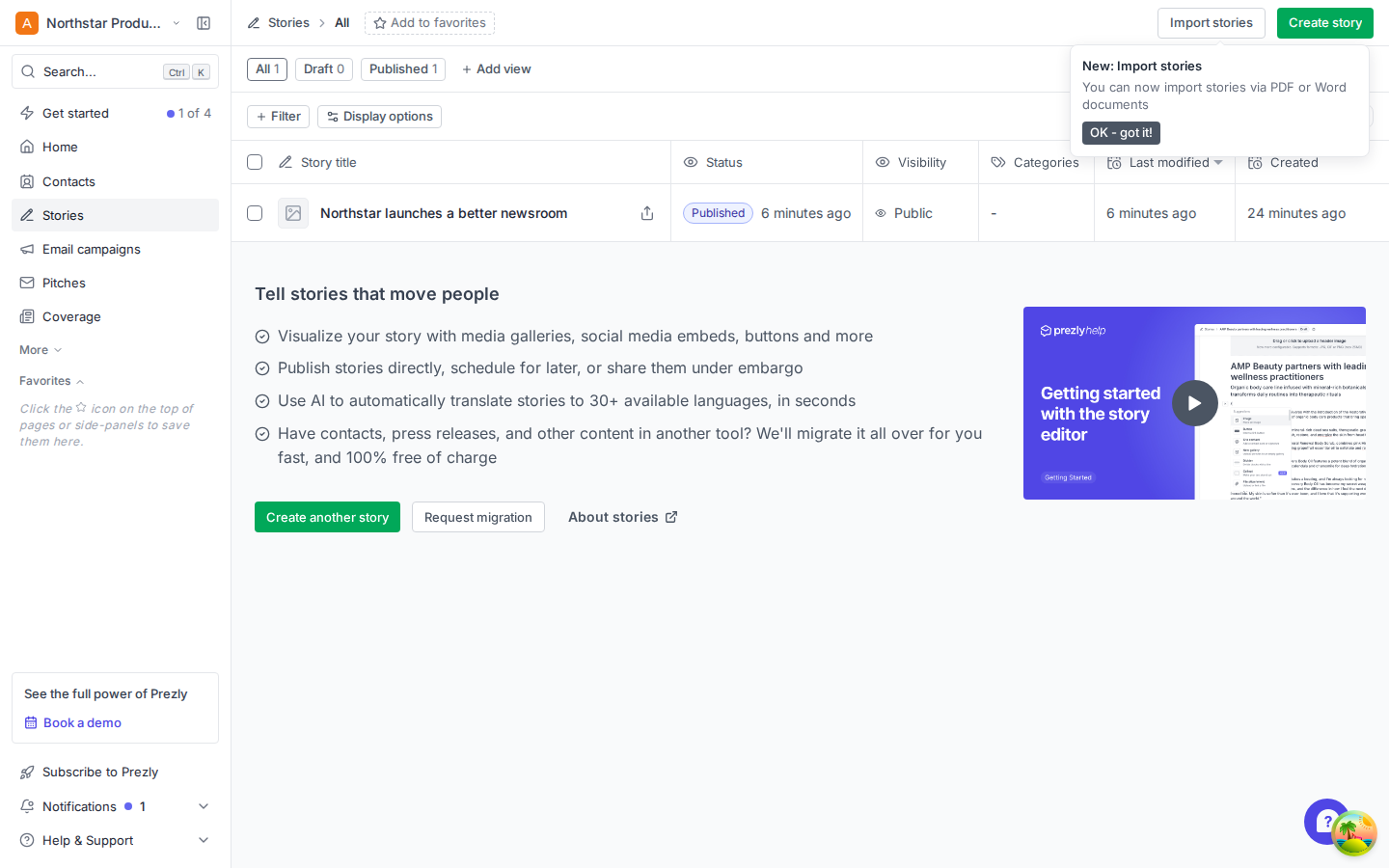
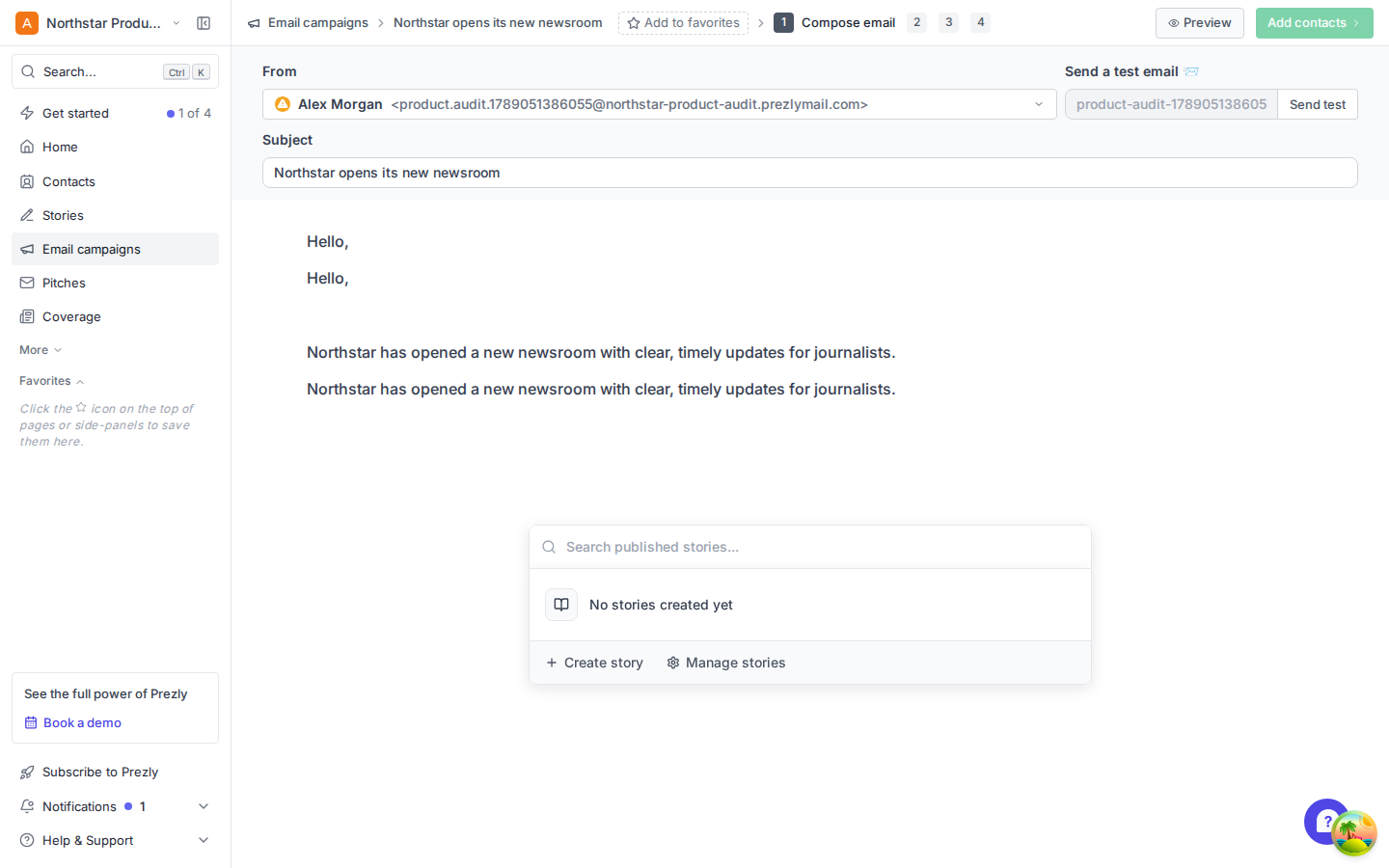
The Stories library showed one published story while the campaign story picker reported that none existed.
Executive summary
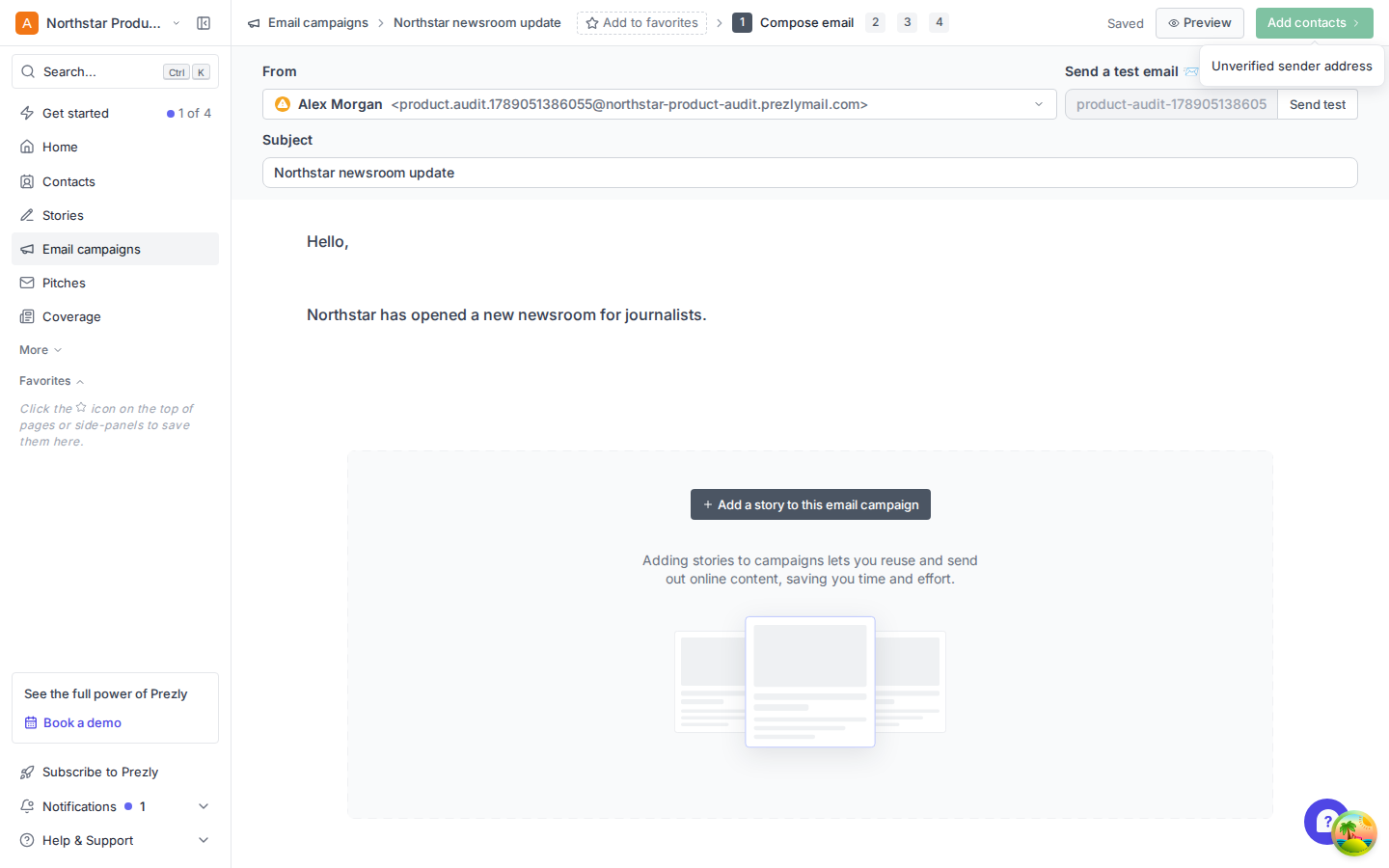
An unverified default sender disables “Add contacts.” The cause appears only on hover and the recovery path is two levels away.
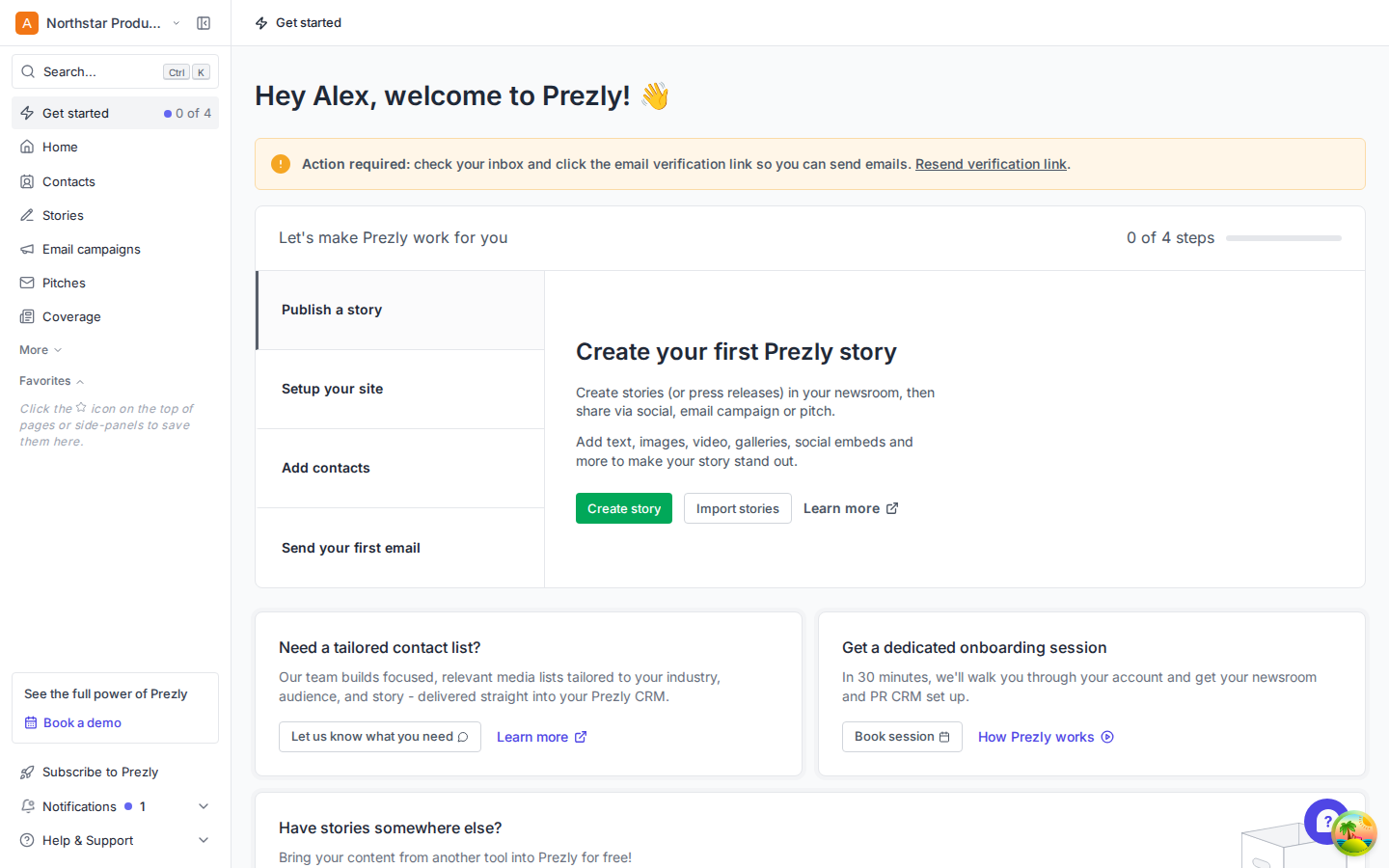
First-run prioritization, the story starting-point screen, and editor guidance all ask new users to infer what matters next.
The journey tested
| Stage | Outcome | Experience |
|---|---|---|
| Land in Prezly | Checklist and full product shell appear | Understandable, but priorities compete |
| Open Home | See site and activity overview | Useful operational summary |
| Create a story | Choose blank, write, publish | Task succeeds; starting choice is noisier than needed |
| Create a campaign | Compose subject and message | Editor is direct and easy to scan |
| Add the published story | Picker reports no stories | Contradictory product state |
| Add contacts | Control remains disabled | Unverified sender prerequisite blocks progress |
Largest issues, in order
P0 01 · Cross-product consistency
A published story disappears at the exact moment it should be reusable
The Stories table shows “Published 1” and lists the new story. After a full reload, the campaign’s “Search published stories” picker says “No stories created yet.” This breaks the core story-to-campaign promise and sends users toward creating duplicate content.
Fix first: align the picker’s query and eligibility rules with the Stories library, invalidate its cache after publication, and add an integration test that publishes a story and inserts it into a campaign. If a story is ineligible, explain why instead of using an empty-library message.
P1 02 · Campaign progression
The campaign’s prerequisite is visible only after the user is already blocked
A fresh account’s default sender is unverified. Even after the campaign is saved with a subject and body, “Add contacts” remains disabled. Hovering the disabled control reveals “Unverified sender address,” but there is no persistent explanation or direct recovery action. The user must open the sender dropdown, choose “Manage Sender Addresses,” and interpret a settings/upgrade page.
Recommendation: show a persistent inline warning above the composer: “Verify your sender to add contacts,” with a direct “Verify sender” action. Consider allowing audience construction and blocking only test/send actions, so users can keep making progress while verification is pending.
P1 03 · First-run direction
The activation path competes with navigation, sales prompts, and an odd task order
The checklist is a sound anchor, but the first task is “Publish a story” before “Setup your site,” even though the story is described as living in the newsroom. At the same time, the full navigation, booking, subscription, migration, contact-list, and onboarding offers are all visible. The page answers “what is possible” more strongly than “what should I do now?”
Recommendation: turn the checklist into a guided sequence: set up site → create story → publish → add contacts → campaign. Keep one primary task expanded, move service offers below completed activation, and explain when Prezly has already created a usable default site.
P2 04 · Story starting point
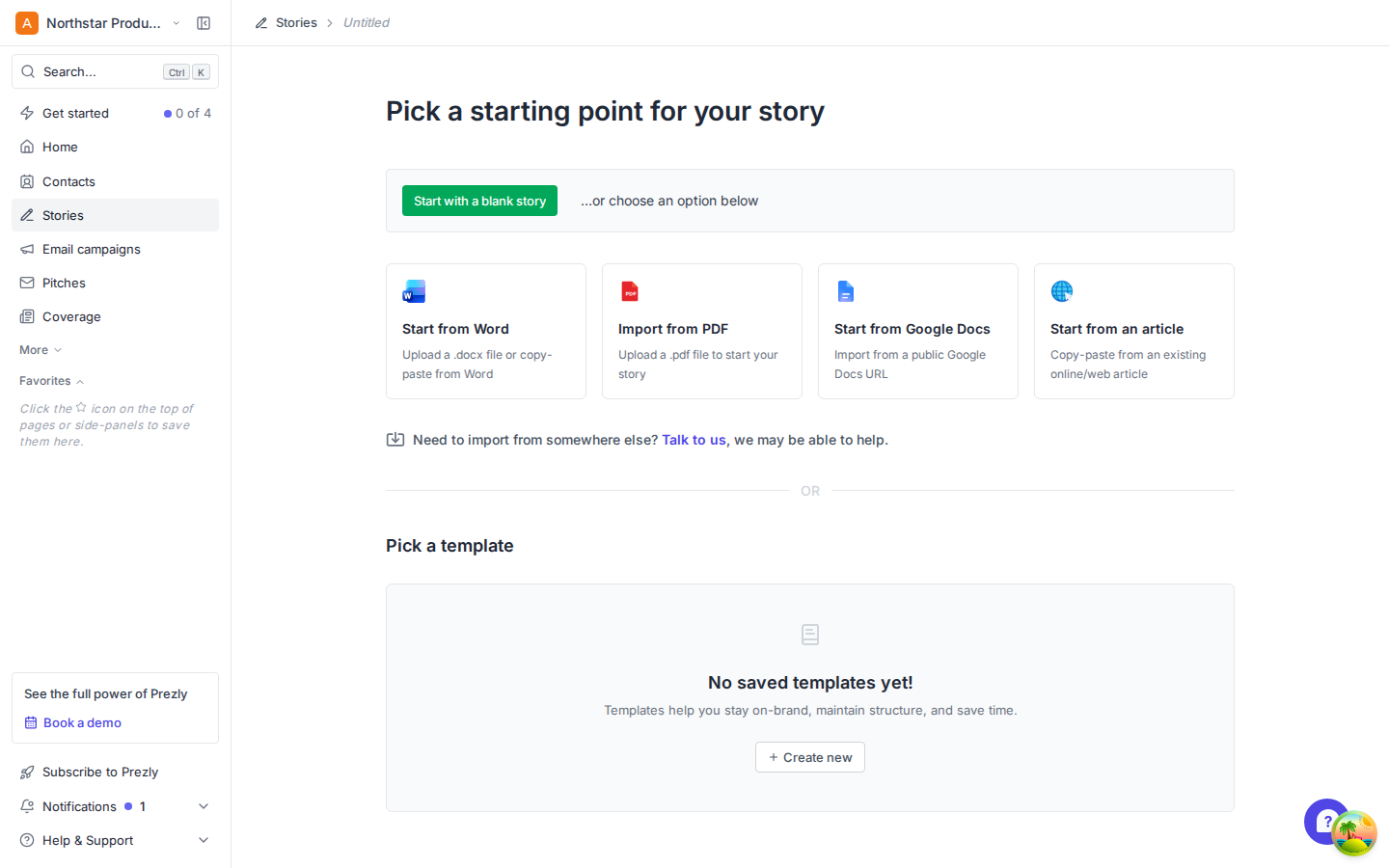
A new user gets an empty template-management state before they have written a story
“Start with a blank story” and import options are clear. Below them, however, a large empty template area dominates the page and ends in the ambiguous action “Create new.” In context, that can mean a new story or a new template. A draft titled “Untitled” has also already been created before the user picks a path.
Recommendation: collapse the empty templates section behind “Create a reusable template,” label it optional, and reserve the strongest visual area for blank/import choices. If the draft already exists, say “Draft created—choose how to start” so the state is intentional.
P2 05 · Editor onboarding and semantics
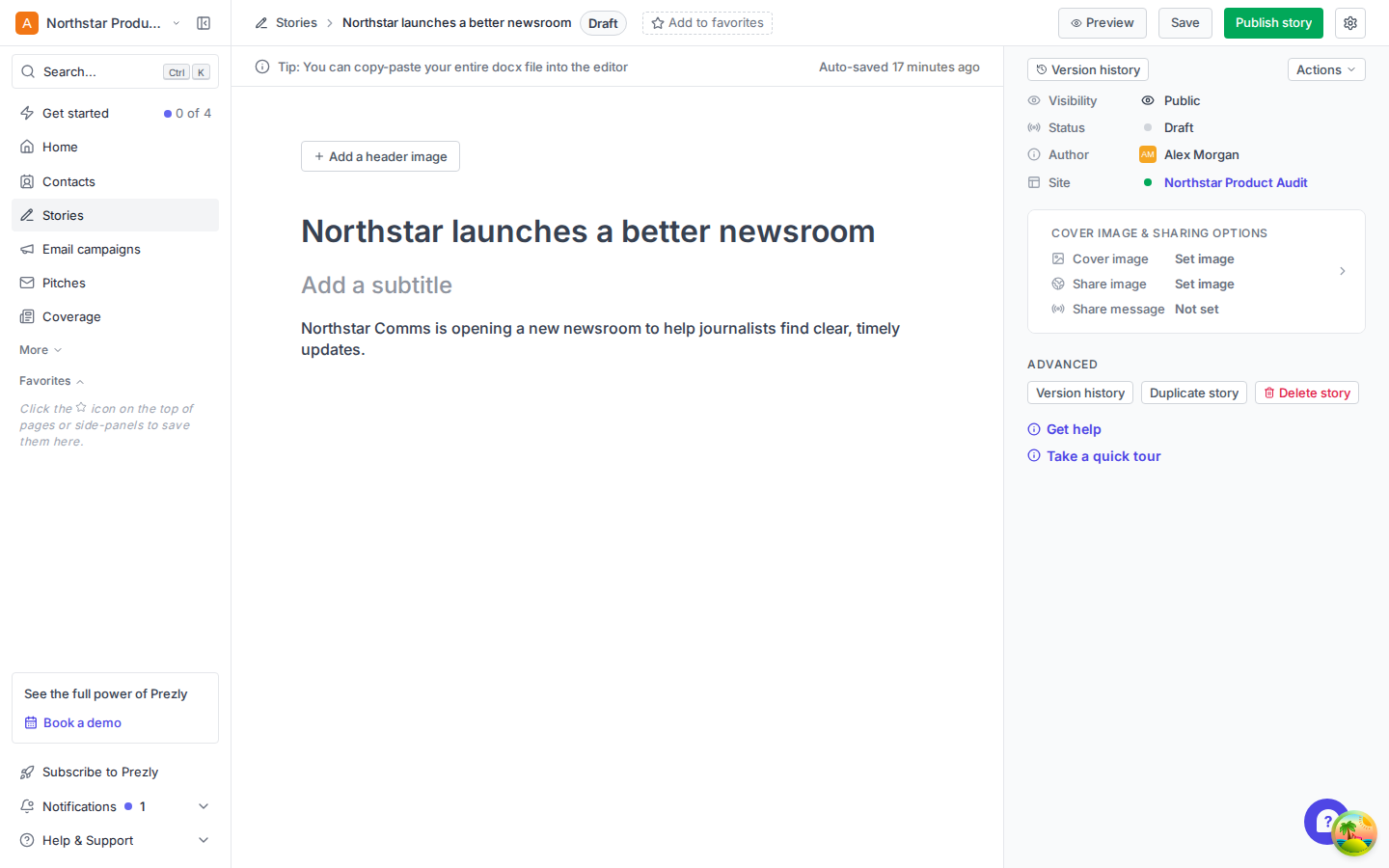
The editor is visually calm, but first-use help is detached from the work
The blank canvas is approachable, yet “Take a quick tour” sits at the bottom of the metadata rail below advanced and destructive actions. The tip “copy-paste your entire docx file” is easy to misread as pasting a file rather than its content. In the rendered DOM, the whole editor is one unnamed role="textbox"; the title and body prompts are visual placeholders rather than separately named fields.
Recommendation: place a one-time guided prompt beside the title/body, rewrite the tip as “Paste content from a Word (.docx) document,” and expose named title, subtitle, and body semantics to assistive technology. Keep the tour accessible from Help after dismissal.
P2 06 · Dashboard density
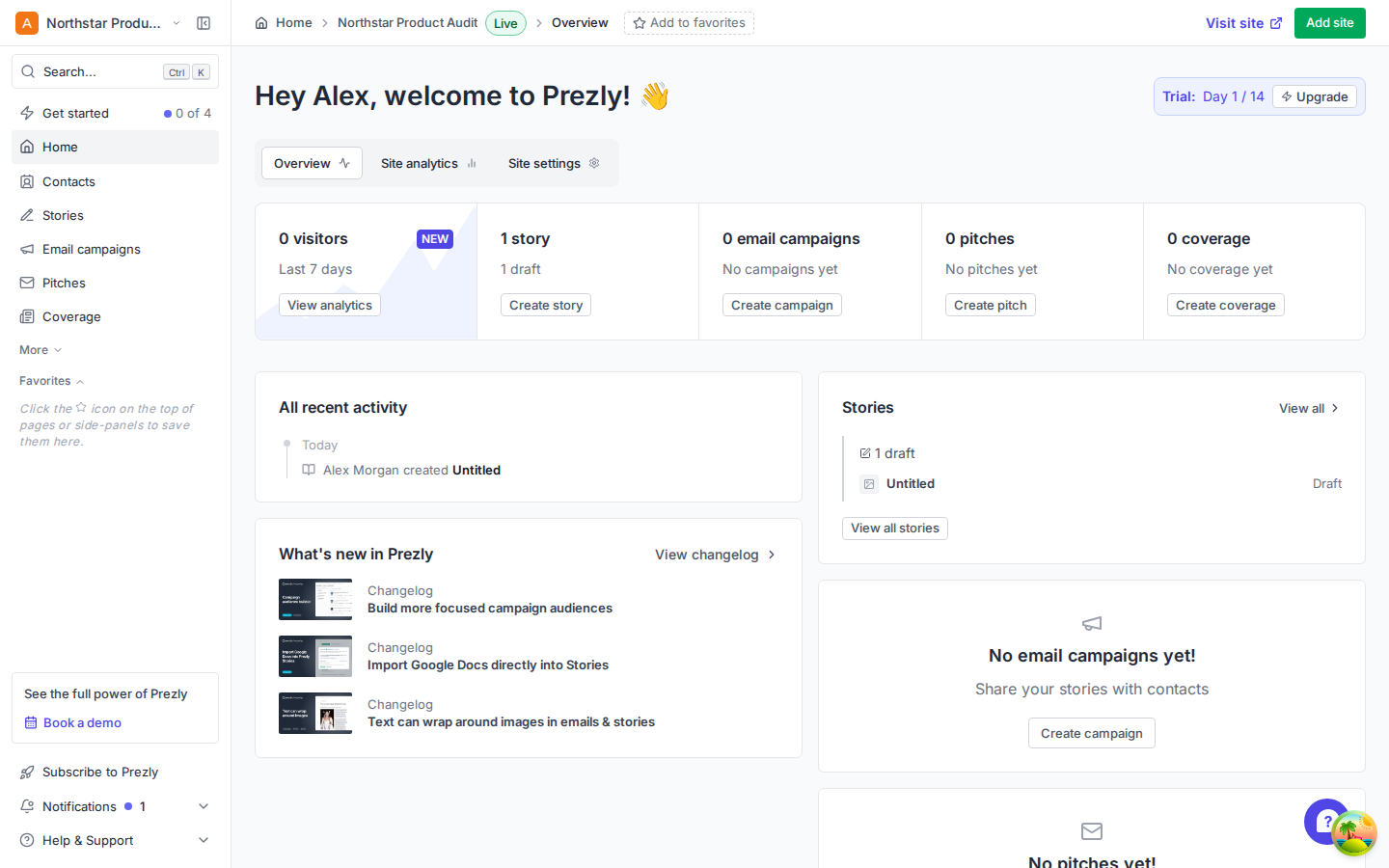
Home is useful, but duplicates empty-state actions and prioritizes changelog content early
The top summary already provides Create story, Create campaign, Create pitch, and Create coverage. The lower half repeats several empty states and actions while giving “What’s new” substantial space. For a day-one account, activation progress and recent work are more relevant than product news.
Recommendation: keep the top operational summary, then use the next row for the current activation task and recent work. Collapse duplicate empty states and demote the changelog to a compact module until the account has meaningful activity.
What already works
Campaign landing page
The value proposition is concise, the primary action is obvious, and the tutorial is available without blocking progress.
Story publishing
Autosave status is visible, publishing choices are well explained, and the confirmation dialog makes sharing into a campaign or pitch a natural next move.
Editor hierarchy
Subject/title and content occupy the visual center. Secondary configuration is kept in a rail, leaving the main writing surface calm.
Home overview
The first row quickly communicates site traffic, content counts, and direct creation paths across the product.
Recommended order of work
1. Fix the story picker mismatch. 2. Replace the campaign verification dead end with inline recovery. 3. Re-sequence first-run activation. 4. Simplify the story starting point. 5. Improve editor onboarding and semantics. 6. Reduce Home duplication.
Method and limits
I created a fresh local trial account, visited the first-run page and Home, created and published a blank story, created two campaigns, composed an email, opened the sender settings, and repeatedly checked the published-story picker after full page reloads.
The account email and its default sender were intentionally unverified, matching the state a brand-new user reaches before acting on verification mail. This prevented recipient selection and sending, so later campaign steps were not evaluated. Network speed in the development environment was not scored. Findings describe the tested desktop path and should be paired with mobile and keyboard-only passes before implementation.